The Impact of 3D Printing on Custom Prosthesis Development in Prosthodontics
Abstract:
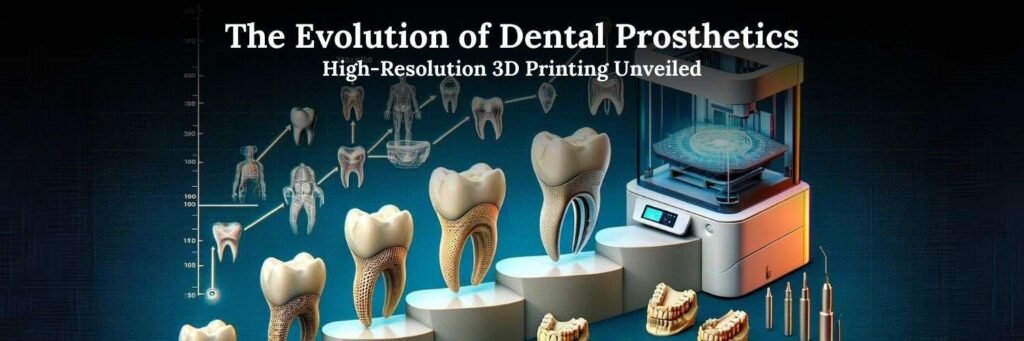
How does 3D printing change the development of a custom dental prosthesis? It enables fabrication from a patient-specific digital design, but the result depends on the restoration, material and manufacturing process. A printed diagnostic model, a provisional crown and a definitive prosthesis have different requirements. This article explains those distinctions and how they affect design, production and clinical assessment.
Introduction
For the dentist and laboratory, the useful question is which part of a prosthetic workflow benefits from additive manufacturing. Digital design can support customization, while printing supplies one manufacturing route. It does not remove the need for accurate records, appropriate material selection or a clinical assessment of the finished prosthesis. The FDA’s additive-manufacturing guidance emphasizes the relationship between device design, materials, machine settings, post-processing and final-device testing.
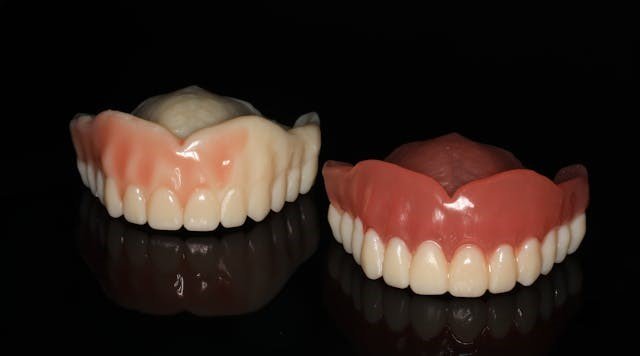
Clinical benefit must be evaluated for the specific treatment. In a 2024 crossover randomized trial by Iwaki and colleagues involving 18 adults with complete edentulism, printed and conventional complete dentures had comparable patient-reported outcomes; satisfaction did not differ significantly. This result does not establish superior outcomes for every printed crown, bridge or implant restoration.
Clinical Overview of 3D Printing in Prosthodontics
1. Conventional and Digital Workflows
Conventional prosthetic workflows may combine impressions, casts, wax arrangements and laboratory processing. The steps vary with the restoration; a complete-denture try-in is different from a fixed-crown workflow. Common stages include:
- Impressions and Molds: Record the relevant oral structures with an impression suitable for the planned prosthesis.
- Model Creation: A physical model of the patient’s oral structures was fabricated in the lab, which was then used to design the prosthesis.
- Wax Try-In: A wax model of the prosthesis was placed in the patient’s mouth to check fit, esthetics, and function.
- Final Prosthesis Fabrication: Manufacture the selected restoration, then assess its fit, appearance and function before delivery.
These stages remain useful when they answer a clinical need. Choosing a digital route should not mean omitting records, a trial arrangement or a fitting assessment that the treatment requires.
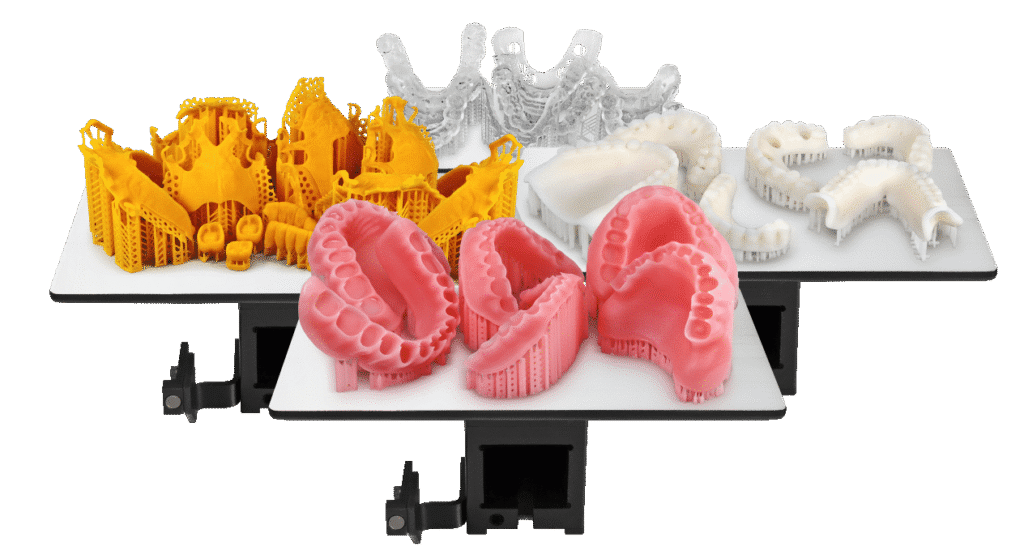
Additive manufacturing builds a part in successive layers from a digital design. The printed part may be a model, a pattern used in another manufacturing process, or an appliance made with a material indicated for that purpose. A practical sequence is:
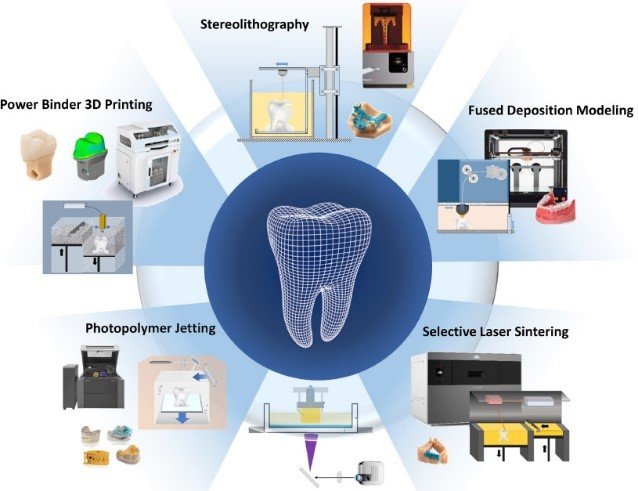
- Records and CAD Design: Use intraoral scanning or digitized impressions/models as appropriate, and design the restoration around the patient’s anatomy and treatment requirements.
- 3D Printing: Select the exact material, compatible printer and supported settings for the intended part. A printable file alone does not establish suitability for intraoral use.
- Post-Processing and Assessment: Follow the material’s instructions for cleaning, curing and finishing. For example, Formlabs Temporary CB guidance makes washing and post-curing part of the specified workflow and warns that incorrect processing can affect mechanical and biocompatibility properties. Assess the finished restoration clinically before delivery.
Potential Benefits and Their Limits
1. Precision and Accuracy
Digital design offers control over restoration geometry, but accuracy is an outcome to assess rather than an automatic property of printing. FDA guidance addresses dimensional measurements and process validation, including the influence of printing and post-processing. An error in the original records is not corrected simply by printing the design.
For a prosthesis, a precise-looking model or smooth surface is insufficient. The clinical team still needs to assess seating, contacts and occlusion for the planned restoration. Avoid promising fewer adjustments or visits without evidence from a comparable treatment and workflow.
2. Speed and Efficiency
Printing can be considered when planning the laboratory sequence, but the elapsed treatment time includes records, design review, printing, post-processing and clinical appointments. Do not promise same-day delivery from a printer specification alone.
Digital files can support communication between the clinic and laboratory. Agree who reviews the design and when the prosthesis can proceed to manufacture. Production time and patient satisfaction are separate outcomes; the complete-denture trial cited above did not find a significant satisfaction advantage for the printed group.
3. Customization and Personalization
Dental CAD supports patient-specific design. For example, exocad DentalCAD provides crown-design tools and optional modules for additional restoration types. The design can be reviewed before fabrication, but software flexibility does not guarantee a perfect fit or authorize every proposed material and manufacturing method.
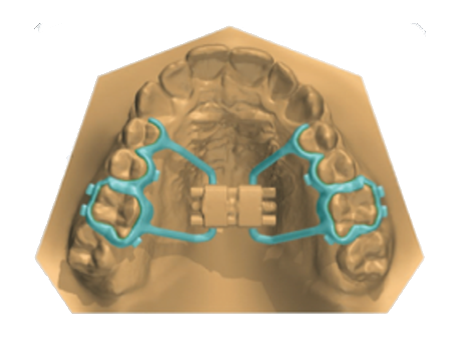
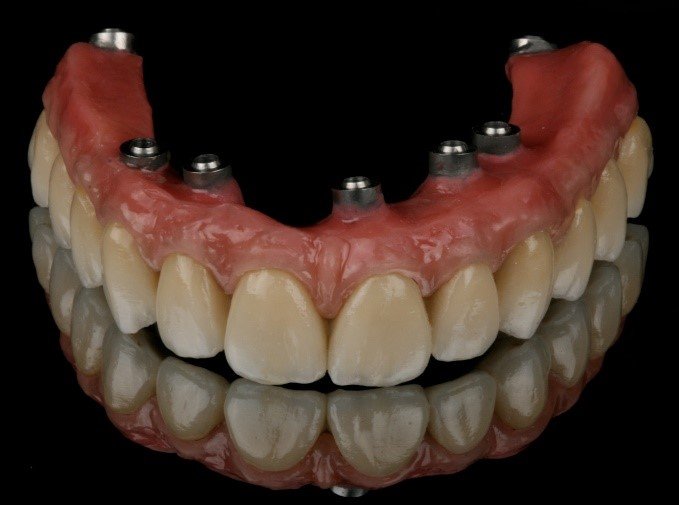
Implant-supported restorations need an additional distinction: designing a custom abutment is not the same as establishing a validated way to manufacture it. DentalCAD’s Implant Module supports abutment and screw-retained designs; the implant components, material and manufacturing route must be suitable for the prescribed restoration. A general-purpose resin printer should not be assumed to produce a definitive implant abutment.
4. Cost-Effectiveness
Compare costs for the actual workload rather than assuming that printing always saves money. Include design time, materials, consumables, post-processing, equipment maintenance, training and remakes. Any savings estimate should also include clinical appointments and fitting adjustments.
A lower-priced printer or resin is not a substitute for an appropriate restorative workflow. Compare systems only after establishing that they can produce the required part with the relevant material and processing instructions.
5. Patient Experience
Digital impressions are one way to collect records, but they are distinct from the printing stage. 3Shape’s guidance on digital impressions for dentures discusses scanning the edentulous patient, a reference denture or a functional impression. Select the record-taking method for the clinical situation; neither scanning nor printing guarantees comfort or eliminates subsequent adjustment.
Materials Used in Custom Prostheses
1. Ceramic-Filled Restorative Resins
Distinguish a ceramic-filled resin from an all-ceramic restoration. BEGO VarseoSmile Crown plus is described by its manufacturer as a ceramic-filled hybrid material for permanent single crowns, inlays, onlays and veneers. That product-specific indication does not make every SLA or DLP resin suitable for permanent restorations or bridges.
2. PEEK (Polyether Ether Ketone)
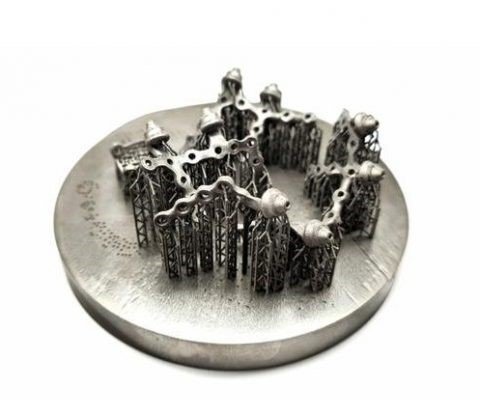
PEEK research should be interpreted in the context of the tested manufacturing method and restoration. Lei, Xiong and Chen’s 2024 laboratory study compared wear and fit in a primary-molar-crown setting and included PEEK among the tested materials. Such bench evidence does not establish long-term clinical performance or a general indication for printed implant abutments and frameworks.
Clinical Applications
Temporaries and Provisional Restorations
Temporary restorations are a specific application, not interchangeable with definitive prostheses. Formlabs identifies Temporary CB Resin for temporary restorations. Before manufacturing, consult the applicable instructions for the exact product, permitted design and duration of use, compatible equipment and processing. The restoration still requires assessment and any necessary adjustment before delivery.
Challenges and Limitations
1. Material Limitations
Do not rank materials by a single strength value or a broad label such as “ceramic” or “biocompatible.” The selected restoration, manufacturing method and evidence must match. The laboratory PEEK comparison above cannot be used to predict the survival of a different material or implant-supported design.
2. Printer Costs and Maintenance
The initial investment in 3D printers can be high, especially for high-end systems capable of producing accurate and durable prostheses. Additionally, regular maintenance, material costs, and software updates can add to the operational expenses of running a 3D printing-equipped dental practice.
3. Training and Responsibility
Assign responsibility for design review, material selection, printing, finishing and clinical delivery. Training should cover the actual equipment and current material instructions, rather than only how to obtain a successful print.
Developing Workflows: What Still Needs Assessment
Biocompatibility Is Product-Specific
- Direction: Material development may expand available indications. Read each product’s intended use and processing instructions; the Formlabs materials library separates model materials from products intended for specific intraoral applications.
Personalized Design
- Direction: Design software offers additional ways to individualize restorations. Assess whether those options help the planned treatment, rather than treating customization as evidence of better clinical outcomes.
In-Office Manufacturing
- Direction: In-office manufacture can be considered for an appropriate workflow. The decision to deliver a restoration rests with the treating clinician after required manufacturing and clinical checks; printing in the practice does not itself justify same-day delivery.
AI-Assisted Design
- Direction: AI-assisted design may generate proposals for review. A software-generated shape is not a clinical prognosis; its anatomy, contacts and suitability for the planned manufacturing route still need professional assessment.
Multi-Material Printing
- Direction: Stratasys describes distinct J5 DentaJet configurations for full-color models, TrueDent dentures and other dental applications. Multi-material capability does not make model resins interchangeable with restorative materials.
Regulatory and Quality Considerations
- Direction: FDA’s guidance describes technical considerations for additively manufactured medical devices; it is not a clearance for a named printer or every object that it can print. Product-specific labeling and local requirements remain important.
Products: Identify the Role Before Selecting a Workflow
Formlabs Dental Resins
- Description: The Formlabs dental range includes materials with different purposes, including dental models and specific intraoral appliances. Biocompatibility and intended use are product-specific; they must not be assigned to the entire resin range.
- Selection: Identify the exact resin and version. Match its intended use to the planned part and follow the compatible printing and post-processing instructions. A resin for a dental model should not be assumed suitable for a crown placed in the mouth.
Stratasys J5 DentaJet
- Multi-material workflows: Stratasys’ J5 DentaJet information distinguishes full-color model production from TrueDent and other application-specific configurations. This is an example of why color and multi-material capability need to be considered alongside the selected material system.
- Selection: Start with the intended appliance and the compatible material configuration. A realistic treatment-planning model does not establish that the same resin can be used for a crown, bridge or partial denture.
ELEGOO Mars 2 Pro
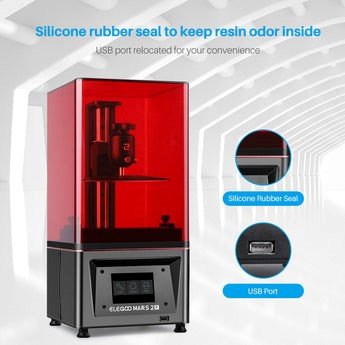
- Description: ELEGOO’s Mars 2 Pro product article describes a consumer LCD resin printer. Resolution and successful model printing do not establish a validated clinical-restoration workflow. This article does not recommend the Mars 2 Pro for patient-worn restorations without exact material, indication and processing validation.
exocad DentalCAD
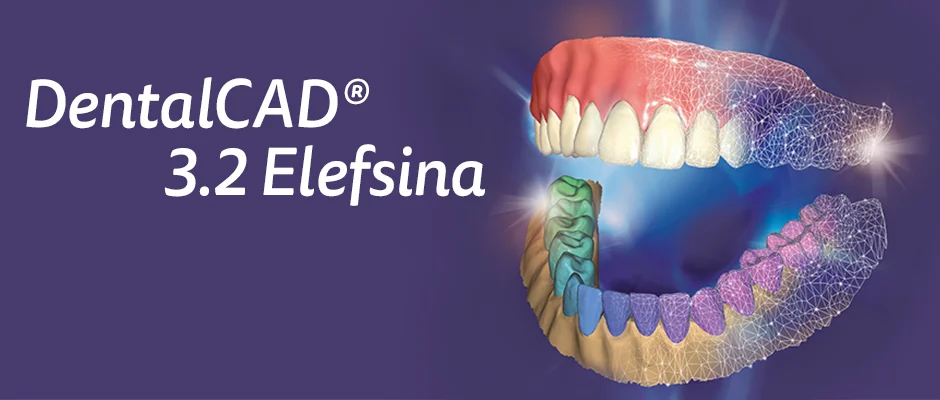
- Description: DentalCAD is design software, with a core product and optional modules for additional applications. It can support preparation of designs for compatible manufacturing systems; software output alone does not establish that a printer/resin combination is clinically appropriate.
Formlabs Form 3B
Formlabs introduced the Form 3B in November 2019 as a dental-focused printer. It is a Formlabs product, not a Stratasys model. Its suitability for a particular appliance depends on the exact material and supported manufacturing instructions.
BEGO Dental 3D Printing Materials
- Description: BEGO supplies distinct dental printing materials. For example, VarseoSmile Crown plus has a stated indication range covering permanent single crowns, inlays, onlays and veneers. That range must not be transferred to all BEGO materials or extended to every type of bridge, abutment or denture.
- Selection: Use the exact product’s current regional instructions and compatible manufacturing system. A brand-wide description such as “FDA-compliant” is insufficient to establish the regulatory status or intended use of a particular restoration.
SprintRay Pro 95
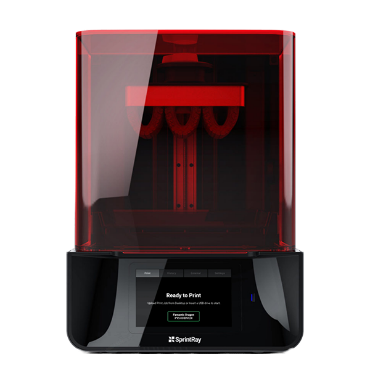
- Description: SprintRay identifies the Pro 95 separately from the Pro 95S in its printer-specific resin compatibility lists. Confirm the exact printer model and material; compatibility for a newer model should not be assumed to apply to an older one.
- Selection: Use the applicable resin instructions and supported post-processing equipment. The printer model alone does not establish a crown, bridge or denture indication, or guarantee a same-day clinical service.
EnvisionTEC Vida
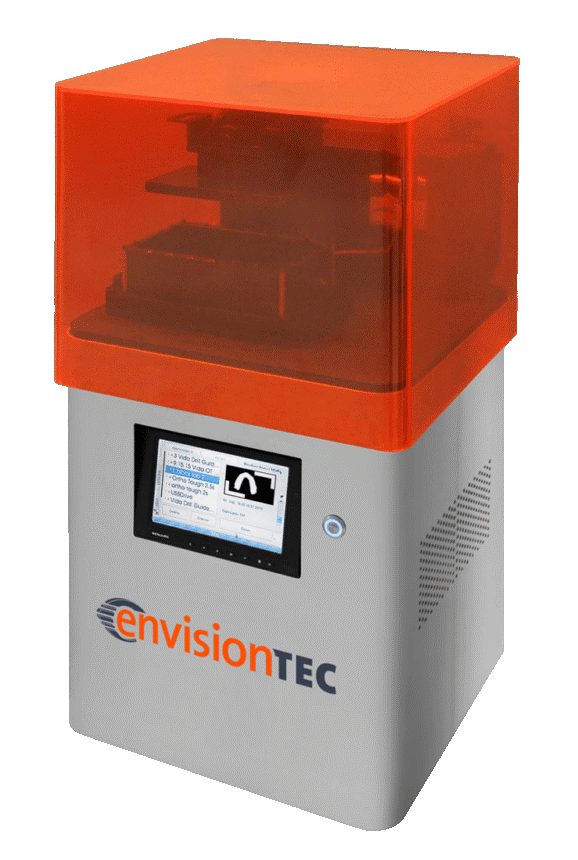
- Description: The manufacturer’s E-SepFree technical guide lists Vida among its applicable printers and describes printed models used in making Hawley retainers. This example concerns a model material, not a general restorative resin.
- Selection: Confirm the exact Vida model, material and applicable instructions for the intended part. Evidence that a printer can make a dental model does not establish that it can produce every crown, bridge or denture base.
3Shape TRIOS
- Description: 3Shape TRIOS is an intraoral scanning system used to collect digital records. It is not a 3D printer and does not itself manufacture crowns or implants.
- Use: Scans can support design and communication within a compatible restorative workflow. The subsequent design, manufacturing and clinical decisions remain separate from the act of scanning.
References and manufacturer guidance
- US Food and Drug Administration. Technical Considerations for Additive Manufactured Medical Devices. Guidance issued 5 December 2017; current PDF includes a QMSR notice.
- Iwaki M, et al. Oral health-related quality of life and patient satisfaction using three-dimensional printed dentures: A crossover randomized controlled trial. Journal of Dentistry. 2024;150:105338. doi:10.1016/j.jdent.2024.105338.
- Lei B, Xiong H, Chen K. Comparison of wear and marginal fitness of 3D-printed deciduous molar crowns: An in vitro study. Dental Materials Journal. 2024;43(2):227–234. doi:10.4012/dmj.2022-143.
- Formlabs. Introducing a New 3D Printing Platform Designed for Dental. 12 November 2019.
- Formlabs Dental. Resin Library and 3D Printing Materials.
- Formlabs. Using Temporary CB Resin. Manufacturer application guidance with links to the instructions for use.
- BEGO. VarseoSmile Crown plus: product description and indication range.
- ELEGOO. Mars 2 Pro vs. the Original Mars: What Are the Upgrades? 22 December 2020.
- exocad. DentalCAD: core software and optional modules.
- SprintRay. Partner Resins: separate compatibility lists for printer models.
- EnvisionTEC. E-SepFree Best Practices. Technical guide V20200211.
- 3Shape. Mastering digital impressions for dentures: where to start?
- Stratasys. J5 DentaJet: model, denture and multi-material configurations.