
A Comprehensive Guide to Reading Dental CT Scans for Implant Planning
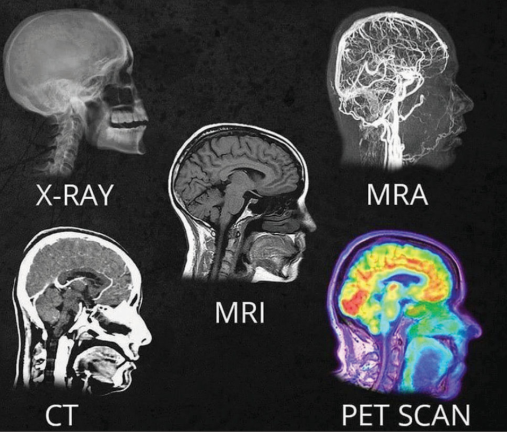
Cone Beam Computed Tomography (CBCT) has become an indispensable tool in modern dentistry, particularly for implant planning and complex surgical procedures. Unlike traditional 2D imaging, CT scans provide detailed three-dimensional views of the maxillofacial structures, allowing clinicians to assess bone quality, anatomical landmarks, and potential complications with greater accuracy. This guide will walk you through the essential steps to effectively read and interpret dental CT scans.
1. Understanding the Basics of CT Imaging
a. Types of CT Views
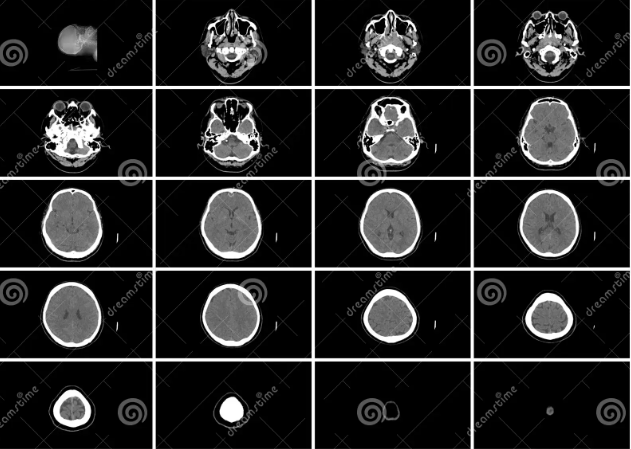
- Axial View: A horizontal slice from top to bottom. It helps visualize the cross-section of the jaw.
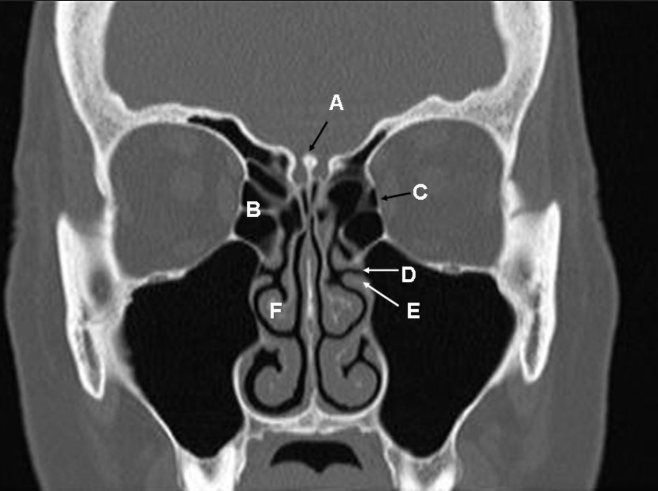
- Coronal View: A vertical slice from front to back. It’s essential for viewing the height and alignment of the bone.
- Sagittal View: A vertical slice from left to right. It’s used to examine the depth of bone and adjacent structures.

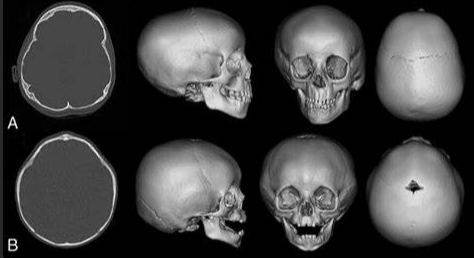
- 3D Reconstruction: Provides a three-dimensional model of the jaw, useful for overall assessment and surgical planning.
b. Key Structures to Identify
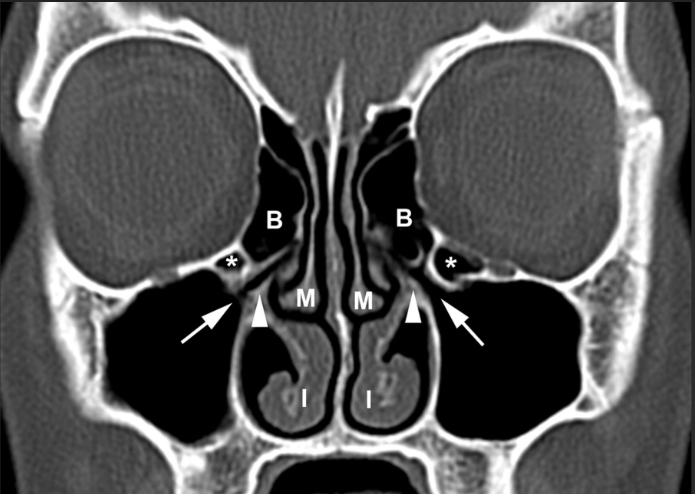
- Maxillary Sinus and Nasal Cavity: Important for upper jaw implants to avoid sinus perforation.
- Mandibular Canal: Houses the inferior alveolar nerve; critical to avoid nerve damage in lower jaw implants.
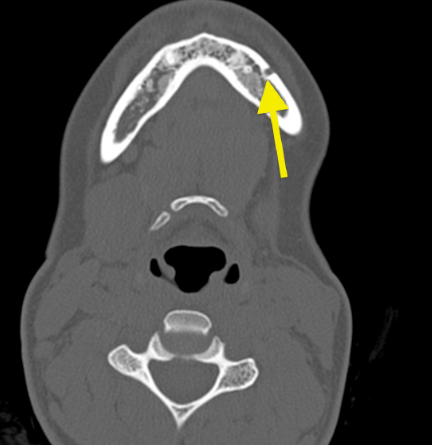
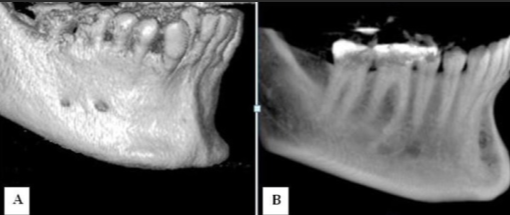
- Mental Foramen: An exit point for nerves on the anterior mandible.
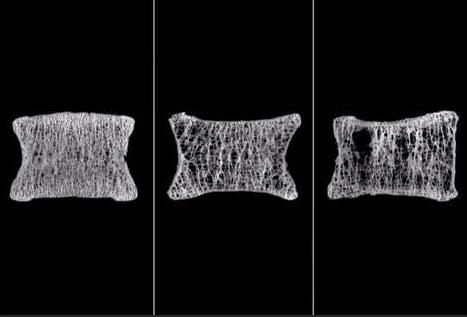
- Bone Quality and Density: Evaluating cortical (outer) and cancellous (inner) bone.
2. Step-by-Step Guide to Reading a CT Scan
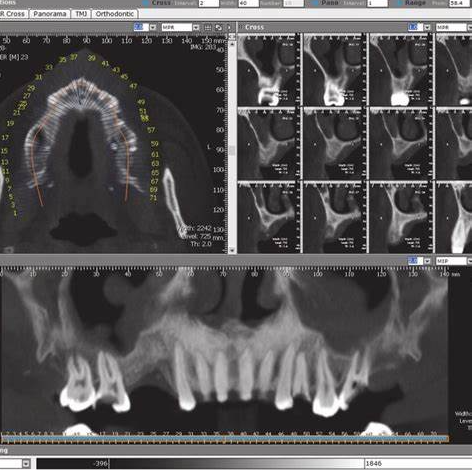
Step 1: Open the Scan in a DICOM Viewer
Use specialized dental software (e.g., Exocad, 3Shape, BlueSkyPlan) to view DICOM files, which are the standard format for CT images. Most software allows you to manipulate and adjust the images for better visualization.
Step 2: Start with the Axial View
- Identify the midline and ensure the scan is properly oriented.
- Look for the mandibular canal in lower jaw scans and the maxillary sinus in upper jaw scans.
- Evaluate bone width at the implant site. This view is crucial for measuring the buccal-lingual width of the bone.
Step 3: Move to the Coronal View
- Assess bone height from the crest to the vital anatomical structures (sinus or nerve).
- Check the alignment of teeth and the jaw to ensure symmetry.
- Look for any pathological signs, such as cysts, lesions, or bone resorption.
Step 4: Examine the Sagittal View
- Measure the depth of bone for implant placement.
- Evaluate the curvature of the jaw and ensure there is enough bone for the length of the implant.
- Identify the position of adjacent teeth roots to avoid impingement.
Step 5: Use the 3D Reconstruction
- Rotate the model to assess the overall bone architecture.
- Check for asymmetries or structural anomalies.
- Plan the implant position visually, taking into account prosthetic considerations.
3. Key Measurements and Considerations
a. Bone Height
- Measure from the alveolar crest to the nearest anatomical limitation (e.g., sinus floor, mandibular canal).
- Ensure a minimum of 10 mm of bone height for standard implants, though shorter implants may be considered in certain cases.
b. Bone Width
- Measure buccal to lingual thickness in the axial view.
- A minimum width of 6 mm is typically required to place a standard implant with adequate surrounding bone.
c. Bone Density
- CT scans provide grayscale values that can estimate bone density.
- High-density (cortical) bone appears white, while low-density (cancellous) bone appears darker.
- Denser bone generally provides better primary stability for implants.
d. Anatomical Safety Margins
- Maintain at least 2 mm of clearance from the mandibular canal to prevent nerve damage.
- Avoid penetrating the maxillary sinus unless planning a sinus lift procedure.
- Maintain a 1.5–2 mm distance from adjacent tooth roots.
4. Common Issues to Look For
a. Bone Resorption
- Look for signs of horizontal or vertical bone loss, especially in edentulous areas.
- Assess whether bone grafting is necessary before implant placement.
b. Sinus Pathology
- Check for sinus opacification or thickening of the sinus membrane, which could indicate infection or contraindications for sinus augmentation.
c. Impacted Teeth or Foreign Bodies
- Identify any unerupted teeth, root fragments, or foreign objects that may interfere with implant placement.
d. Periapical Pathology
- Look for radiolucent areas at the tips of tooth roots, indicating possible periapical infections or cysts.
5. Practical Tips for Effective CT Interpretation
- Always Reorient the Scan: Ensure the scan is correctly aligned along the anatomical planes before starting your evaluation.
- Use Cross-Sectional Slices: For implant planning, review cross-sectional images at 1 mm intervals to get precise measurements.
- Measure Twice, Cut Once: Confirm measurements in multiple views to avoid discrepancies.
- Check for Asymmetries: Compare left and right sides to detect abnormal structures or pathology.
- Document Findings: Take screenshots of key views and measurements for patient records and lab communication.
- Integrating CT Data with Digital Workflows
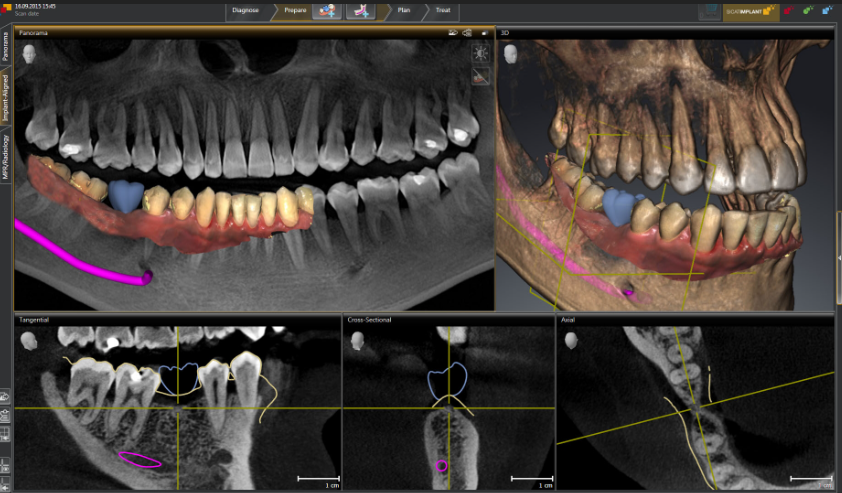
- Import into CAD Software: After evaluating the CT scan, import the data into CAD software like exocad or 3Shape for virtual implant planning.
- Design Surgical Guides: Use the CT data to fabricate surgical guides that ensure precise implant placement.
- Communicate with Labs: Share the DICOM files and treatment plans with dental labs for seamless collaboration on prosthetic design.
Conclusion
Mastering the interpretation of dental CT scans is crucial for successful implant planning and other surgical procedures. By following a systematic approach and utilizing modern software tools, clinicians can enhance the accuracy, safety, and predictability of their treatments. Regular practice and continuous education in imaging techniques will further refine your skills, leading to improved patient outcomes.