Cloud-Based Data Management for Prosthodontic Practices: Transforming Digital Workflows and Patient Care
Introduction
How can a prosthodontic practice share scans, designs and treatment records without losing control of them? Cloud services can support remote access and collaboration, but their value depends on the chosen system, configuration and working procedures. Moving files online does not by itself improve restoration accuracy, prevent data loss or establish regulatory compliance. The practical task is to make the right record available to the right person, preserve its clinical context and demonstrate that it can be recovered.
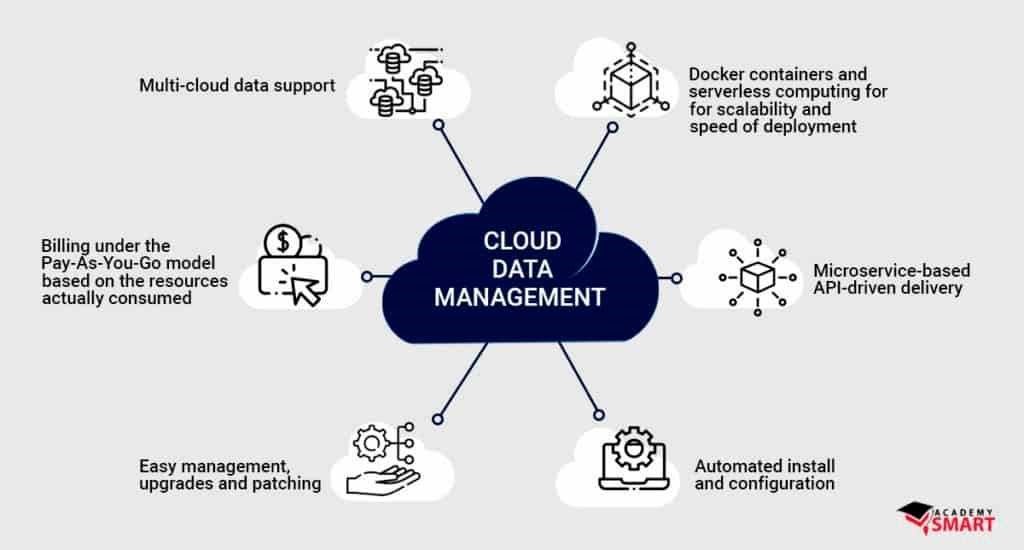
This article explains the data, access, migration and recovery questions to address before adopting a cloud service. The implementation checklist is educational planning guidance, not a report of patient outcomes or savings achieved by a named practice. Local performance and costs need to be measured rather than assumed.
Understanding Cloud-Based Data Management in Prosthodontics
Definition and Architecture
The NIST definition of cloud computing describes shared computing resources available on demand over a network. Service and deployment models differ: a hosted application, rented computing infrastructure and a private cloud do not assign the same responsibilities to a practice. A cloud service also need not be operated by an external provider.
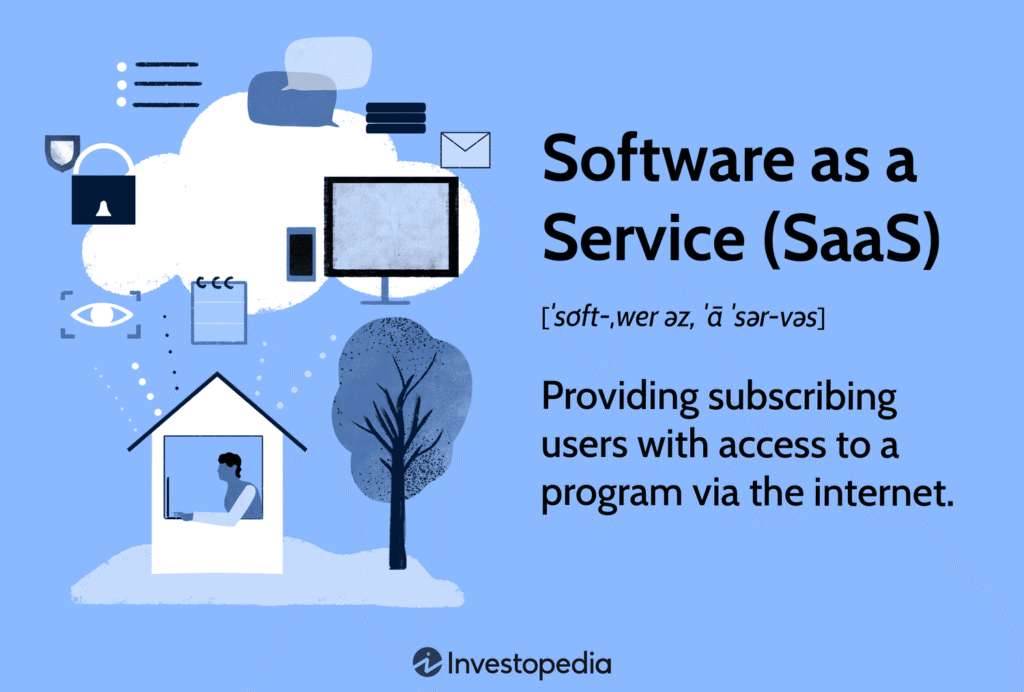
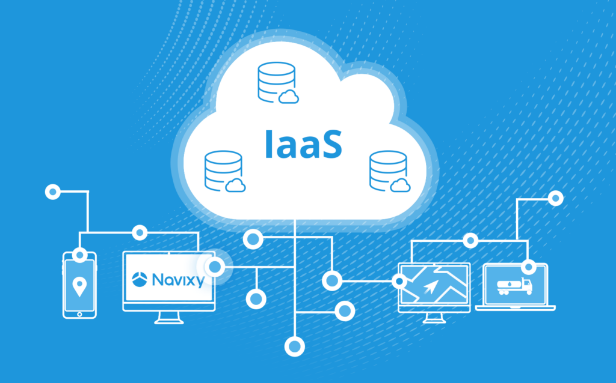
Software as a Service (SaaS): The provider supplies an application accessed through a browser or other client. For a dental practice this may be a records, communication or design service. Confirm which functions, data formats and exports the specific service supports. Infrastructure as a Service (IaaS), illustrated below, provides computing resources and leaves more software-management responsibility with the customer.
The selection of appropriate architectural models depends on practice size, complexity of prosthodontic services offered, and specific data management requirements.
Types of Prosthodontic Data Requiring Management
Prosthodontic practices generate diverse digital assets requiring specialized management:
Digital Impressions: Intraoral scanner files capturing detailed three-dimensional representations of dental arches, requiring significant storage capacity and integration with design software.
CAD/CAM Files: Design files for crowns, bridges, dentures, and implant components necessitating version control and collaboration between prosthodontists and dental laboratories.
CBCT Datasets: Large volumetric data files for implant planning and complex restorative cases demanding substantial storage capacity and specialized visualization capabilities.
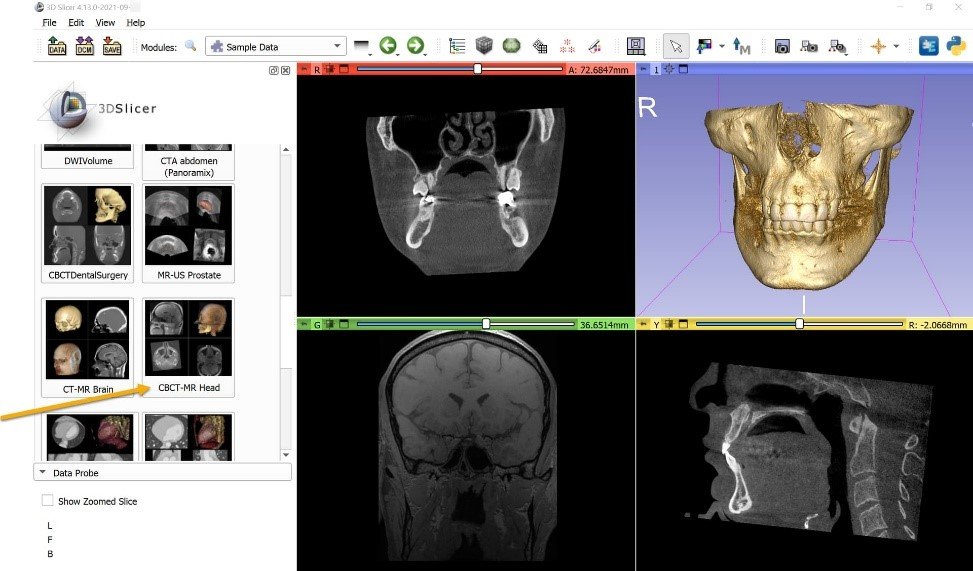
Digital Photography: High-resolution intraoral and extraoral images for documentation, shade matching, and treatment planning requiring organization and categorization.
Treatment Documentation: Detailed records of prosthodontic procedures, materials, and components used in patient treatments requiring structured data management and searchability.
Patient Communications: Digital correspondence, treatment explanations, and consent documentation necessitating secure archiving and retrieval capabilities.
These data types have different storage, viewing and exchange requirements. Inventory the original files, their associated identifiers and the applications needed to read them before choosing a storage or collaboration service.
Potential Benefits and Their Conditions
Enhanced Accessibility and Mobility
Remote access can be useful when the connection, permissions and receiving device support the intended task:
Multi-Location Access: A shared service may make records available across sites. Check that each site opens the correct patient record and current file version with the appropriate permissions.
Remote Consultation: Authorized clinicians may review selected records remotely. Record availability alone does not establish that a remote assessment is clinically sufficient or appropriate.

Emergency Access: Define how urgent information will be obtained during a network, provider or authentication outage. Online access is not guaranteed in an emergency.
Flexible Working Arrangements: Remote review may reduce dependence on a particular workstation, provided devices, connections and accounts are appropriately protected.
Assess this benefit locally by recording retrieval time, failed access attempts and staff workload before and after a pilot. Do not assume a particular improvement in work-life balance.
Improved Collaboration
A shared workspace can help a clinical team and laboratory exchange the records needed for a case. Its usefulness depends on an agreed handover process:
Prosthodontist-Laboratory Communication: Share the prescription, approved scan, shade records and design comments through a controlled channel. Identify the final approved version; file sharing alone does not demonstrate fewer remakes or better fit.
Interdisciplinary Case Management: Agree who may view or change each record, who approves a revised treatment plan and how the team is notified of a change.
Specialist Consultation: Confirm the recipient, the permitted purpose and the records needed before sharing access. Revoke access when it is no longer appropriate.
Track communication errors and remake reasons separately. A change in a clinical outcome cannot be attributed to cloud software without an appropriate evaluation that considers case mix and other workflow changes.
Data Security and Backup
Cloud storage, synchronization and a recoverable backup are different functions. Ask the provider to demonstrate each promised safeguard:
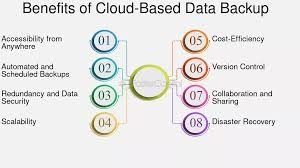
Automated Backup: Check what is backed up, how often, how long versions remain available and who receives failure alerts. Automation does not remove the need to test recovery.
Geographic Redundancy: Confirm whether copies are held in separate locations and what failures that arrangement covers. Replication may also copy an unwanted change; it is not a substitute for a recoverable backup.
Encryption Protocols: Check protection in transit and at rest, who can decrypt the data and how keys are managed. These controls do not, by themselves, establish end-to-end encryption or legal compliance.
Version Control: Verify the retained history, restoration process and audit record for the actual file types used. Do not assume every change is retained indefinitely.
The CISA #StopRansomware Guide recommends offline, encrypted backups and regular checks that backups are available and intact. For a dental practice, a useful recovery exercise includes reopening both the patient record and its linked scan or design in the intended application.
Cost Effectiveness and Scalability
Compare the full cost and service limits of the available options:
Capital and Operating Costs: Hosted services may reduce some local server requirements while adding subscription, migration and support charges. Workstations, connectivity, endpoint protection and IT expertise may still be needed.
Scalable Storage: Check storage quotas, file-size limits, upload speed and the cost of growth using representative CBCT and design files.
Updates: Establish who updates each application, how maintenance is announced and how compatibility is checked after a change. Updates may affect availability or require workflow changes.
Pricing Model: Check whether charges depend on users, storage, processing, transfers or a fixed subscription. Include export and termination costs in the comparison.
Use a documented budget and pilot observations to estimate costs for the practice. There is no established savings percentage in the evidence presented here.
Implementation Considerations for Prosthodontic Practices
Infrastructure Assessment
Before transitioning to cloud-based systems, prosthodontic practices should evaluate existing infrastructure components:
Internet Connectivity: Assess bandwidth capabilities and reliability, particularly considering the large file sizes associated with digital impressions, CBCT datasets, and CAD files. Redundant internet connections may be necessary for practices with high digital workflow dependency.
Legacy Systems: Identify integration requirements and data migration pathways from existing practice management software, imaging systems, and CAD/CAM technologies.
Hardware Requirements: Evaluate existing workstations, viewing monitors, and mobile devices for compatibility with cloud-based solutions, particularly considering the specialized visualization needs of prosthodontic diagnostics and design.
Workflow Analysis: Document current data management processes, identifying critical efficiency points, bottlenecks, and integration requirements specific to prosthodontic procedures.
Jurisdiction and Privacy Responsibilities
Identify which privacy, record-retention and professional requirements apply to the practice and its service providers. Requirements differ by jurisdiction; a cloud label or security badge is not a compliance determination.
United States: HIPAA: For HIPAA covered entities and business associates using a cloud service to handle electronic protected health information on their behalf, HHS cloud guidance explains the need for an appropriate business associate agreement, risk analysis and risk management. A provider that stores encrypted information may still be a business associate even without the decryption key. Encryption alone is insufficient, and HHS does not certify or endorse particular cloud products. These U.S. rules should not be treated as a statement of the requirements in other countries.
Data Location: Ask where primary data, backups and support access are located. Check applicable local requirements and contractual restrictions before transferring records across borders.
Audit Trails: Check whether access, changes and sharing can be reviewed and exported, and agree who reviews the records and responds to suspicious activity.
Patient Information and Consent: Determine what notices, permissions or other legal bases are required for the intended use and sharing in the relevant jurisdiction. Do not assume that one consent form or a BAA resolves every obligation.
Integration with Prosthodontic Digital Workflow
Test compatibility with the actual scanners, imaging systems, design applications and laboratory workflow before relying on a cloud service:
Intraoral Scanner Connectivity: Ensure compatibility with practice-specific intraoral scanning systems, addressing data format, transfer protocols, and file management requirements.
CAD/CAM Integration: Verify workflow continuity between cloud storage systems and design software used for crowns, bridges, dentures, and implant components.
CBCT Interoperability: Compare the systems’ DICOM conformance statements and test transfer and reopening of representative datasets. DICOM conformance alone does not guarantee interoperability. Confirm patient identifiers, image completeness and the intended viewing or planning functions; do not assume a file preview is equivalent to the original dataset.
Laboratory Communication Pathways: Establish secure protocols for sharing prosthodontic data with dental laboratories, including prescription management and design approval workflows.
Security Considerations for Prosthodontic Data
Encryption and Access Control
Protecting sensitive prosthodontic records requires comprehensive security measures:
Encryption and Key Access: Distinguish encryption during transfer and storage from end-to-end encryption. Document which parties can decrypt records, how access is revoked and how recovery remains possible if an authorized key holder is unavailable.
Multi-Factor Authentication: Use multi-factor authentication, preferably phishing-resistant where available, for remote and privileged access, consistent with CISA’s ransomware-prevention guidance. Include account recovery and staff departure in the access procedure.
Role-Based Access: Define specific permissions for different staff positions, limiting access to prosthodontic records based on clinical responsibilities and need-to-know principles.
Device Management: Agree which devices may access records and how they are protected, updated and removed from access when lost or retired. Manage local downloads as well as data stored online.
Data Ownership and Vendor Agreements
Prosthodontists must carefully assess contractual aspects of cloud services:
Rights and Permitted Use: Clarify the practice’s access and control, patient rights and the provider’s permitted uses, including any secondary analysis or AI training. Do not assume the practice owns every derived dataset or that a standard contract settles all rights.
Data Portability: Ensure agreements specify processes for retrieving complete datasets in usable formats should the practice choose to change providers.
Service Level Agreements: Establish clear performance metrics, uptime guarantees, and response timeframes appropriate for time-sensitive prosthodontic workflows.
Termination Procedures: Agree on export, retention and deletion responsibilities before signing. Verify a usable replacement and applicable retention requirements before authorizing deletion; include backups and subcontractors in the discussion.
Recovery Planning
Prepare for service interruptions and data loss before they occur:
Recovery Objectives: Define how quickly critical records must be accessible again and how much recent work could be lost. Test whether the proposed service and backup arrangements can meet those objectives.
Local Caching: If local copies are needed for downtime, decide which records are held, how they are protected and how conflicting versions will be reconciled. A cache may be incomplete or outdated.
Disconnected Operations: Develop procedures for maintaining basic prosthodontic operations during internet connectivity failures, including prioritization of emergency access to critical records.
Testing Protocols: Establish regular validation of recovery procedures through simulated failure scenarios and data restoration exercises.
A Practical Cloud Adoption Checklist
Use the following questions with the prosthodontist, laboratory, practice manager and IT adviser. They are a planning framework, not reported results from a practice or a promise of clinical benefit.
- Map one complete case. List its scan, prescription, photographs, CBCT data if applicable, design versions, approvals and treatment notes. Identify the authoritative copy and the person responsible for each handover.
- Test the receiving end. Using an appropriate test dataset, ask the laboratory to reopen the scan and design in its actual software. Check the intended patient or case identifier, units, orientation, completeness and approval version. Document any information lost during export.
- Check access before upload. Confirm the service agreement, permitted recipients and sharing controls. Use a non-patient test dataset where possible; any patient records used for testing still need appropriate protection and authorization.
- Prove the migration. Back up the source, test a limited import and reconcile record and file counts. Open representative records, attachments and scans. Resolve missing links or unreadable files before expanding the transfer.
- Rehearse downtime and recovery. Test loss of internet access, a missing file and an unavailable account. Confirm who can obtain urgent information and restore a usable record without depending on the failed service.
- Train the people who use it. Practise a laboratory handover, a corrected prescription, a version conflict and removal of a departed staff member. Keep a short written procedure and a support contact.
- Measure the pilot. Record retrieval time, failed transfers, support work and total costs against the previous workflow. Review errors and remake reasons without attributing every change to the cloud service.
- Keep an exit route. Demonstrate a complete, usable export and restoration route before retiring the old system. Retain records and backups according to the applicable policy and legal requirements.
Proceed only when the team can complete the intended workflow, recover the required records and explain the remaining limitations. If a test fails, correct that specific problem and repeat the affected check before widening the rollout.
Evaluating New Features Without Assuming Better Outcomes
AI assistance. If a provider offers automated notes, design suggestions or outcome predictions, ask what the function was validated to do, on which data and with what limitations. The NIST AI Risk Management Framework emphasizes validity, reliability and oversight in the intended context. For prosthodontic use, check a suggestion against the original records and retain clinical responsibility; cloud hosting does not establish clinical validity.
Visualization and remote collaboration. A three-dimensional viewer or immersive interface may help explain a dataset. Test the actual viewing hardware, connection and collaboration functions. An attractive preview or simulation is not evidence that the predicted treatment result will occur.

Interoperability and patient access. Ask vendors to demonstrate the specific exchange, export and patient-access functions available today. Verify the complete workflow after software changes. Do not plan around a promised universal dental file format or assume that blockchain, edge processing or a patient portal solves compatibility, privacy or record-retention requirements.
Conclusion
Cloud services can support shared access to prosthodontic records, but adoption should rest on demonstrated compatibility, controlled access and recoverable data. The practical question is whether the team can transfer the correct records, preserve their meaning and continue safely when a service is unavailable.
For the clinician, confirm patient identity, current records and approval responsibilities before using a shared file in care. For the laboratory, confirm the prescription, readable design data and approved version before fabrication. For the practice manager and IT team, verify access removal, restoration and export. Measure local costs and workflow performance; this article does not establish a particular clinical, financial or satisfaction benefit.
References
Mell, P., & Grance, T. (2011). The NIST Definition of Cloud Computing. NIST SP 800-145. doi:10.6028/NIST.SP.800-145.
U.S. Department of Health and Human Services, Office for Civil Rights. Guidance on HIPAA & Cloud Computing. U.S. HIPAA guidance; accessed October 14, 2026.
Cybersecurity and Infrastructure Security Agency and partners. #StopRansomware Guide. Backup, access-control and recovery guidance; accessed October 14, 2026.
DICOM Standards Committee. DICOM PS3.2, Annex N.3.3: Remarks. Current conformance guidance; accessed October 14, 2026.
National Institute of Standards and Technology. (2023). Artificial Intelligence Risk Management Framework (AI RMF 1.0). NIST AI 100-1. doi:10.6028/NIST.AI.100-1.