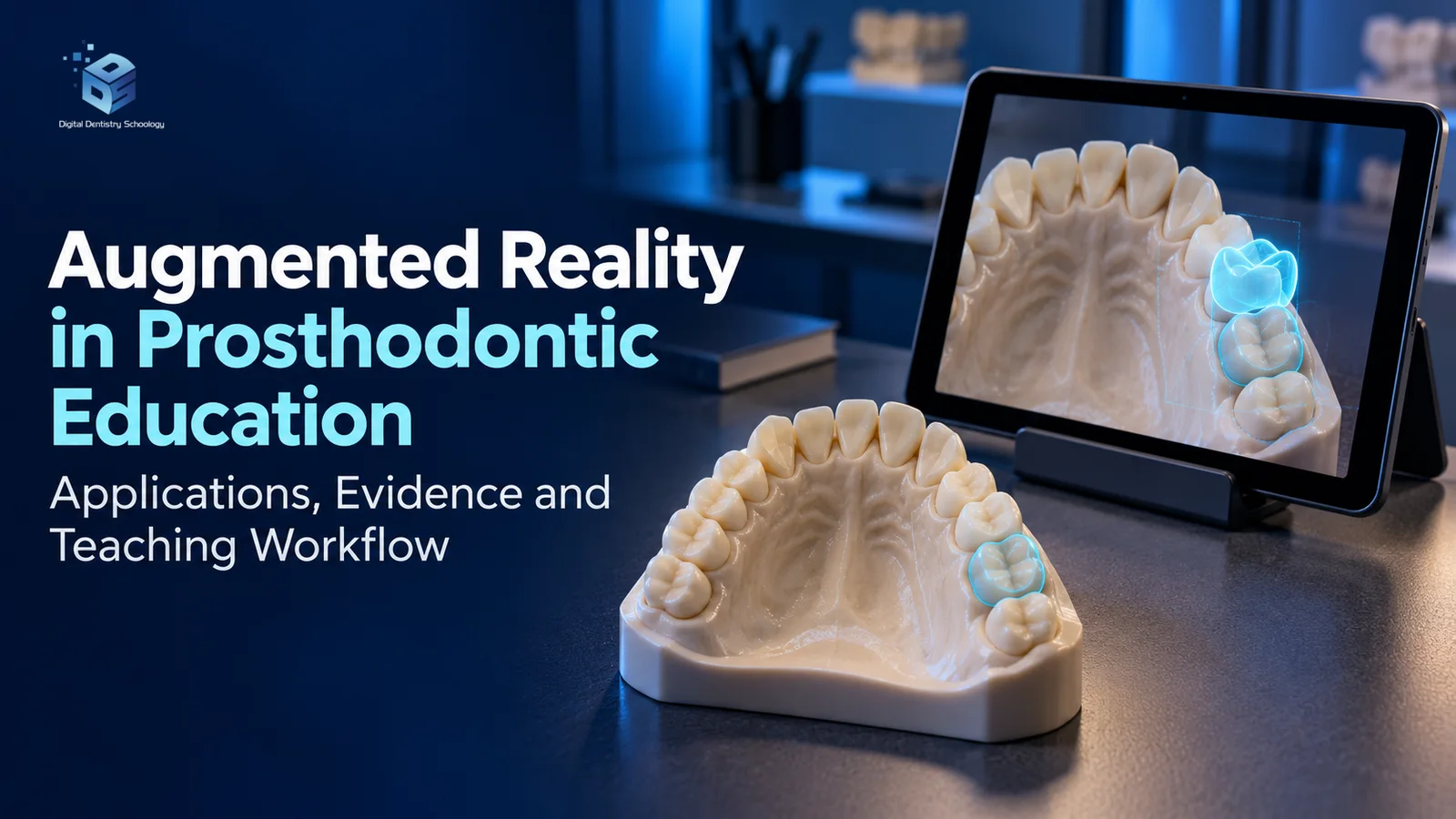
Augmented Reality in Prosthodontic Education: Applications, Evidence and Teaching Workflow
Augmented reality can help learners relate digital information to physical models, while virtual reality can provide a repeatable simulated environment for practice. Their educational value depends on the task, feedback, assessment and supervision. A more engaging display or a higher simulator score is not, by itself, evidence of independent clinical competence or better patient outcomes.
Learning objectives
- Distinguish augmented reality, virtual reality, haptic feedback and ordinary dental CAD displays.
- Interpret simulator performance, learner satisfaction and clinical competence as separate outcomes.
- Plan a supervised model-based teaching exercise with feedback, unassisted assessment and a defined follow-up.
Distinguish AR, VR and ordinary digital dentistry
AR combines a real-world view with digital information; VR presents a computer-generated environment, with immersion ranging from desktop displays to headsets. Haptics adds force feedback and is a separate capability, not a synonym for either AR or VR. A CAD crown design, implant-planning screen or digital occlusal sensor is not automatically an AR system. Albuha Al-Mussawi and Farid’s technology overview was published in 2016, in Journal of Dentistry (Tehran); it is background context, not a controlled trial proving educational benefit. [1]
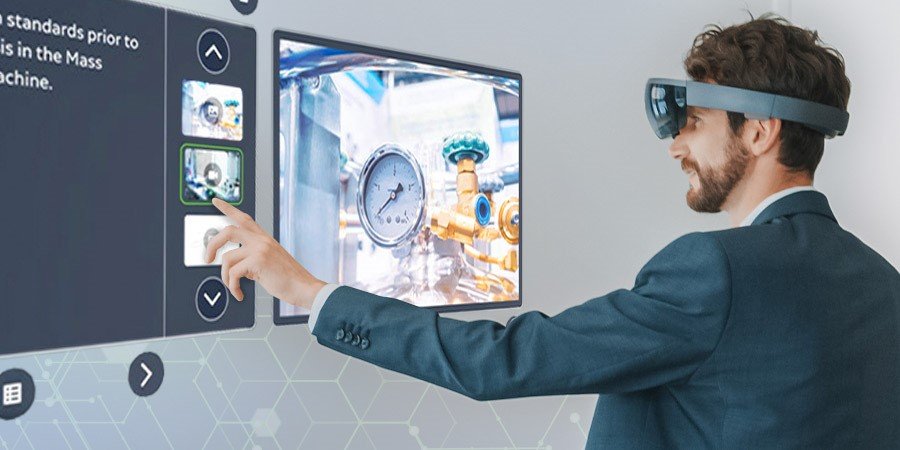
Terminology also varies across generations of dental simulators. The DentSim manufacturer describes mannequin-based work with real-time computer feedback, whereas the 2006 training study calls its DentSim platform a VR system with augmented visual feedback. Describe what learners physically do and what is displayed rather than treating those labels as interchangeable evidence. Manufacturer feature descriptions establish the advertised workflow, not independent comparative effectiveness. [2] [3]
What the research actually measures
Feedback and retention in a simulated task
Wierinck and colleagues randomly assigned novice students to simulator feedback, simulator feedback plus standardized expert instruction, or a non-training control. The task was a geometrical Class I cavity in phantom teeth, evaluated by the simulator. Both training groups exceeded control performance at one day and three weeks; at four months, only the expert-input group remained significantly more accurate than control. This supports combining feedback with teaching for that task. It does not establish a universal percentage improvement in crown preparation or competence with patients. [3]
Veneer preparation and student experience are different endpoints
Li and colleagues’ 2025 randomized study allocated 80 fourth-year dental students across eight groups using Unidental, Simodont, phantom heads or different training sequences. A blinded instructor assessed veneer preparations on phantom heads. The three single-method groups had mean scores of 88.9, 88.6 and 89.4, respectively, with no statistically significant difference (P=.81). Lack of a significant difference does not establish equivalence. Questionnaire ratings differed for some simulator features, but those perceptions are distinct from preparation quality. The study did not establish long-term clinical transfer or patient benefit. This is VR evidence and should not be relabelled as proof that AR is superior. [4]
Farronato et al. (2019), Current state of the art in the use of augmented reality in dentistry: A systematic review of the literature, remains an important background reference. It examined literature through 2018 and found promising applications alongside insufficient validation; it is not a contemporary randomized prosthodontic-training trial. Its DOI is 10.1186/s12903-019-0808-3. [5]
The studies discussed here do not provide a reliable universal percentage for faster competency acquisition, better crown-preparation accuracy or long-term retention across prosthodontic tasks. Evaluate each technology against its specific learning objective, comparator and follow-up period.
Practical applications for prosthodontic teaching
Tooth preparation and crown design
Use a preparation exercise to teach learners to identify the finish line, compare reduction against the assigned restoration and explain errors before asking the software for a score. DentSim’s official description includes feedback on preparation geometry and handpiece position. That does not mean every simulator provides every measurement or a direct overlay on the tooth. [2]
Illustrative teaching workflow, not a reported trial: an instructor specifies the material, tooth and assessment rubric; the learner practices on a model, reviews feedback and repeats the task without guidance. The instructor then assesses the physical preparation independently. Avoid one universal reduction or taper prescription for all crowns: the exercise should follow the intended restoration’s requirements and the school’s clinical teaching standard.
Complete and removable partial dentures
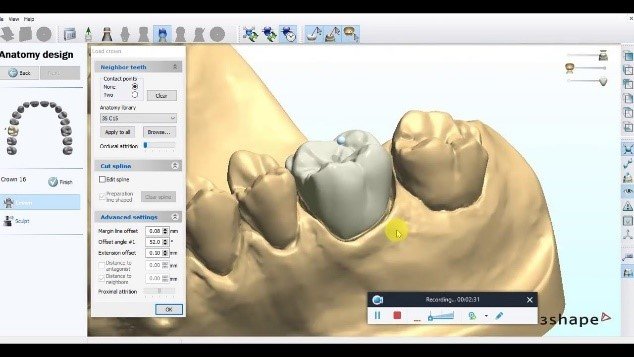
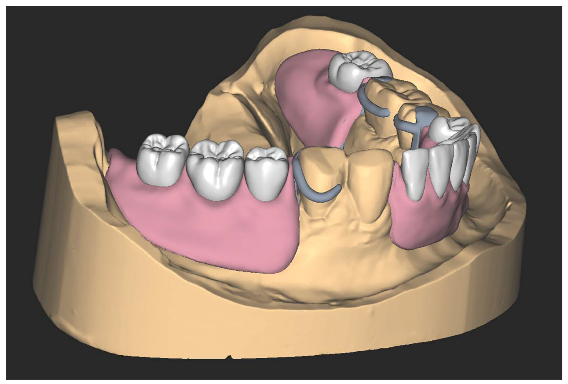
A three-dimensional model can support discussion of tooth position, path of insertion, clasp location and the relationship between a prosthesis and its supporting tissues. Ask students to explain a design decision, compare an alternative and identify what the digital model cannot show. A rendered denture is not a validated pressure map or proof of mucosal response. Treat these as proposed teaching uses unless the specific application and its assessment have been evaluated.
Implant planning
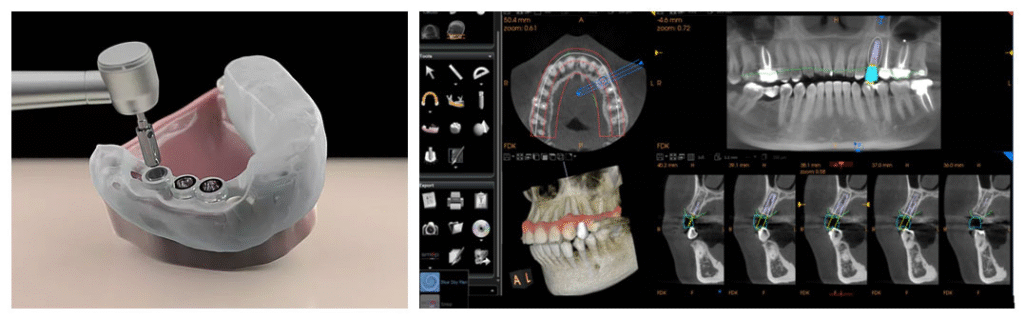
In a supervised model exercise, students can relate a planned restoration to implant position and identify relevant anatomy in a provided dataset. Keep three things separate: visualization of a plan, transfer of that plan to a model, and performance of surgery on a patient. A planning image or guide illustration cannot establish that an AR teaching system improves implant accuracy. No additional patient imaging is justified solely by this teaching overview.
Occlusion and patient communication
Digital contact displays and virtual articulators can help frame questions about records, movements and interpretation, but their outputs depend on what the device measures and the quality of the input data. A contact sensor is not itself an AR overlay, and a colored display does not demonstrate improved prosthesis survival.
For communication exercises, learners can explain a proposed design using a digital preview, discuss alternatives and make clear that a visualization is not a guaranteed treatment result. A student’s enthusiasm for a preview does not establish patient understanding, informed consent or increased treatment acceptance.
A curriculum workflow that can be evaluated
The following is an implementation framework, not a claim that one curriculum has been proved optimal.
- Set one learning objective. Define whether the session teaches spatial understanding, preparation quality, design reasoning or communication. Choose the tool after defining the task.
- Establish a baseline. Assess the same skill before training and record prior experience. Agree on a rubric, clinically meaningful errors and who will score the work.
- Prepare faculty and equipment. Train instructors, check calibration and tracking, allow familiarization, and provide a practical fallback when hardware or software fails.
- Combine practice with explanation. Use feedback to prompt reflection; ask the student to explain why a correction is needed. Preserve hands-on instruction and instructor review.
- Assess without assistance. Use an unfamiliar model or comparable task with guidance removed. Separate knowledge, manual performance, completion time and confidence rather than merging them into a single success score.
- Check retention and transfer. Repeat assessment after a stated interval. Any claim about clinical competence needs separate supervised clinical assessment; patient outcomes require their own appropriate study.
- Review practical costs and access. Record installation, licenses, consumables, faculty time, maintenance, downtime and accessibility needs. Do not infer a return on investment from satisfaction ratings.
Limits and research priorities
Tracking error, calibration drift, latency, display ergonomics and incomplete tactile realism can affect an exercise. Their importance depends on the device and task; avoid a blanket accuracy claim for all systems. Learners must be able to recognize unreliable guidance and continue reasoning without it. Schools should evaluate access needs and protect any student performance records or patient-derived teaching data.
Future studies should report the exact system and version, sample and prior training, comparator, time on task, blinded assessment where feasible, follow-up interval and withdrawals. They should distinguish perceived realism from measured performance and test clinical transfer rather than assume it. AI feedback, improved haptics and new display designs are development opportunities, not guaranteed improvements in learning or patient care.
Conclusion
AR and VR can provide useful visualization and structured practice within prosthodontic education. The defensible approach is to combine them with instructor feedback, physical-model work and independent assessment. Match every claimed benefit to the actual study population, task and endpoint; retain supervised clinical teaching and measure patient-related outcomes separately.
References
References (5)
- Albuha Al-Mussawi RM, Farid F. Computer-Based Technologies in Dentistry: Types and Applications. J Dent (Tehran). 2016;13(3):215–222. Technology review. Full article.
- Image Navigation. DentSim: Features. Manufacturer description of mannequin-based training and on-screen feedback; not an independent effectiveness study. Official documentation.
- Wierinck E, Puttemans V, van Steenberghe D. Effect of tutorial input in addition to augmented feedback on manual dexterity training and its retention. Eur J Dent Educ. 2006;10(1):24–31. Randomized phantom-tooth training study. DOI.
- Li Y, Ye H, Wu W, et al. Effectiveness and Methodologies of Virtual Reality Dental Simulators for Veneer Tooth Preparation Training: Randomized Controlled Trial. J Med Internet Res. 2025;27:e63961. Full article.
- Farronato, M., Maspero, C., Lanteri, V., Fama, A., Ferrati, F., Pettenuzzo, A., & Farronato, D. (2019). Current state of the art in the use of augmented reality in dentistry: A systematic review of the literature. BMC Oral Health, 19(1), Article 135.
About Dr. Haitham Sharshar



Dr. Haitham Sharshar is an international digital dentistry speaker, educator, and digital occlusion consultant based in Cairo, Egypt. His work focuses on functional digital dentistry, CAD/CAM, implantology, jaw-motion analysis, and the integration of digital diagnostics into clinical treatment planning.
As Founder and Scientific Coordinator of Digital Dentistry Schoology (DDS), he has trained more than 3,270 dentists and dental technicians through university programs, international conferences, and hands-on courses. His teaching connects patient-specific diagnostic records with digital design and clinical workflows, helping clinicians and technicians understand how function and occlusion inform restorative planning.
Dr. Sharshar is a certified trainer for zebris JMA-Optic+ jaw-motion analysis and MyoWise dental EMG. His educational and consulting work brings together patient diagnostics, jaw-motion records, muscle-activity data, digital occlusion, and AI-supported workflows.
He is Founder and Clinical Director of Occlusa, an AI-supported platform for organizing clinical information and supporting clinician-led review and treatment planning. He also owns HS Dental Clinic in Cairo, where his clinical focus includes full-mouth digital rehabilitation and smile design.
His speaking and training topics include functional digital dentistry, digital occlusion, jaw-motion analysis, CAD/CAM workflows, digital implantology, and the practical integration of AI-supported tools into dental education and clinical practice.
WHERE DIGITAL MEETS CLINICAL
Happy to collaborate on spreading digital dentistry.
h.sharshar@ddschoology.com